

Thank you for your order!
Download the software by following these steps.
A. Install
- Choose [ Download ] to download and install.
- When prompted press [ Open File ] or [ Save ]
- When prompted to allow the publisher to make changes press [ YES ]
- Press [ Next ] to install TurboStats for Football on your computer
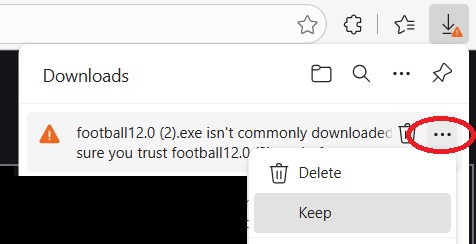
- If you get a not commonly dowloaded messege press the ... and choose Keep
- Depending on your security options press [MORE INFO] then [RUN ANYWAY]
If you have any problems installing see Step by Step instructions below.
B. Run
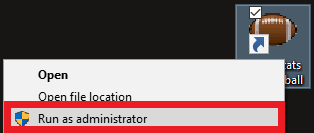
Right click (or tap and hold) and choose "Run as Administrator". This only needs to be done the first time you run TurboStats on your computer.

If you are not the administrator of your computer (usually a school computer) follow instructions below:
You will need read/write privileges in the folder c:\basket (contact your administrator)
C. Register & Unlock Software
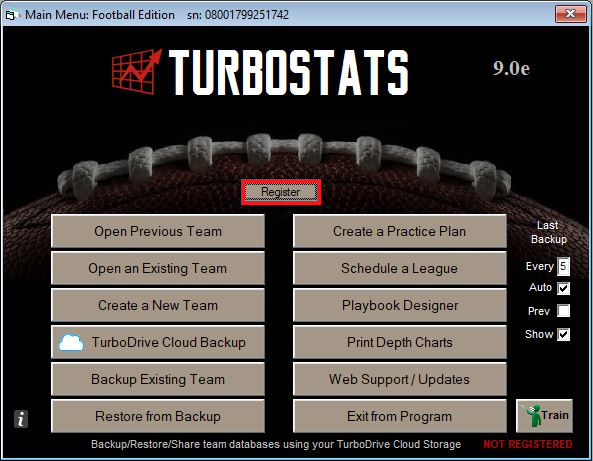
You can download this software and use it for your first game for trial purposes on as many computers as you wish. Press the [Register TurboStats] button after the software is installed on your computer.
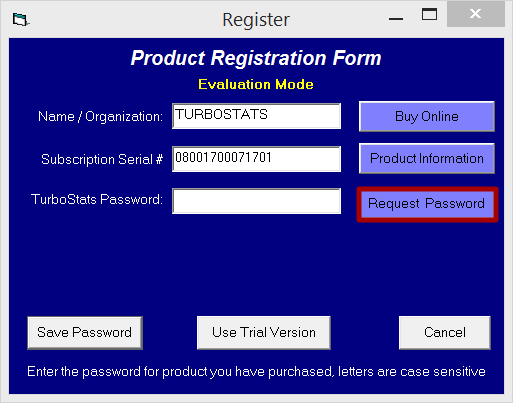
Press [Request Password] to unlock your software.
D. Train
Watch our online training videos so you can get up to speed.
Return Policy: Up to 14 days from date of purchase provided your password is not requested. We cannot allow returns for any software that is unlocked with a password. After you install the software you need to request your password to unlock in the software for full use by pressing [Register] then [Request Password]
Step by step installation guide
Hide
1. Download
2. Choose [ Save ]

Note: If you get a "not commonly downloaded" message, click on the ... and choose keep (may vary depending on browser)
3. Choose "Open Folder / Show in Folder"

4. Run as Administrator"
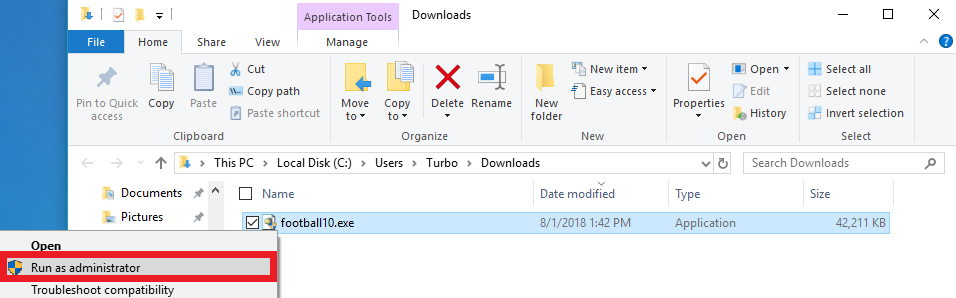
Find the file winpro in your downloads folder and right click on it. Then choose Run as administrator
5. Press [ More Info ]
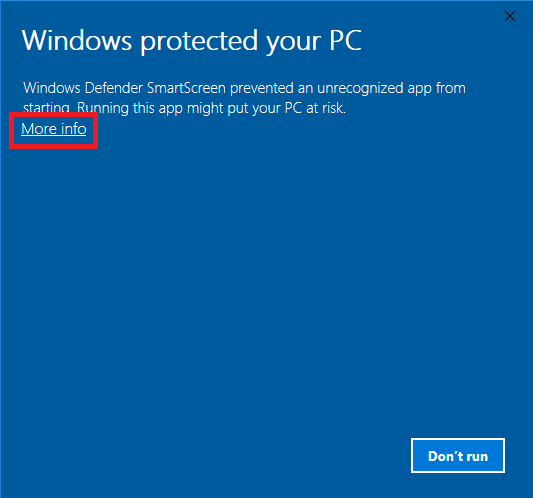
6. Press [ Run Anyway ]
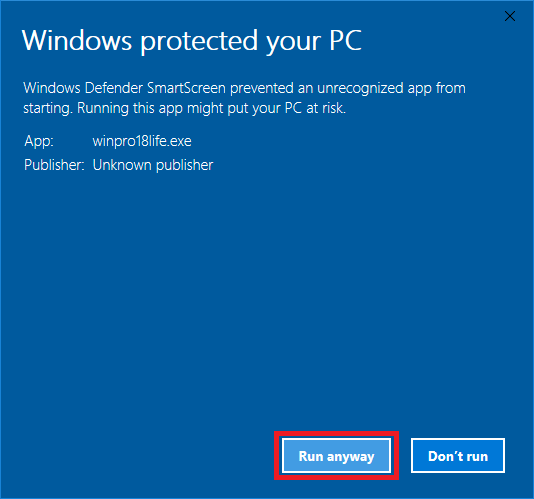
7. Press [ Yes ] to approve of the download
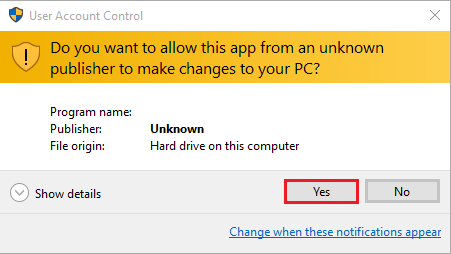
8. Press [ Setup ] to unzip
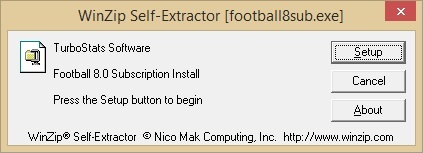
9. Press [ Next ] to install TurboStats for Football on your computer
10. Run by Right Clicking on the Football Icon and press "Run as Administrator"
Contact Us
- TOWACO, NJ 07082
- sales@turbostats.com
- SALES: 973-404-0048
- SUPPORT: 973-334-7828

MaxPreps is a registered trademark of CBS. TurboStats, TurboScout and ScoreKeeper are registered trademarks of TurboStats Software Company. Hudl is a product and service of Agile Sports Technologies, Inc.