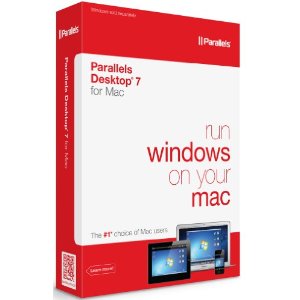
Parallels 3.0 plus a copy of Windows allows running TurboStats on your MAC
(TurboStats Software must be purchased separately)

$79.95

Parallels Desktop for Mac is a powerful, easy-to-use virtualization software for Intel®-based Macs and is designed to work with a wide range of operation systems. Review the software and hardware requirements necessary for installing Parallels Desktop for Mac below.

System Requirements for Virtual PC for Mac Version 6.1

Primary Operating System Mac OS® X Tiger 10.4 or higher running on an Intel® Mac.
Support for any 32- or 64-bit Intel®-based Mac:
  • iMac

  • Mac mini

  • MacBook

  • MacBook Pro

  • MacPro Tower

  • MacBook Air

Processors Support for any 32- or 64-bit any Intel® Core Duo processor featured in new Intel® Macs:

  • Intel® Core Solo
  • Intel® Core Duo
  • Intel® Core 2 Duo
  • Intel® Dual-Core Xeon
Includes full support for Intel Virtualization Technology (VT)
Memory Requirements 512 MB minimum available memory (1 GB recommended). Support for any memory configuration (up to 16 GB), without modifying your host system
Disk Space Software Installation – 70 MB of available hard drive space for Parallels Desktop for Mac installation. (Does not include hard drive space for guest virtual machine.)

Virtual Machine Installation – Hard drive space allocation for virtual machines is dependent upon the guest operating system. 15 GB of available hard drive space is recommended per virtual machine for Windows and Linux.
CD-ROM CD-ROM drive for installation (if applicable)
Networking Internet connection is required to receive online Parallels Desktop for Mac product updates
Display 16-bit or 32-bit display adapter recommended

Software Requirements

  Virtual machine operating systems - such as Windows, Linux, and Solaris - are not included.
Guest OS Windows:
  • 3.1
  • 3.11
  • 95
  • 98
  • NT

  • 2000
  • XP
  • 2003
  • Vista Business, Ultimate, Enterprise,
    Home and Home Premium


back to main page