HOT DEAL! Get a Surface Go for only $249 while supplies last
Score Every Play in Real-Time!
The Fastest, Easiest Way to Keep Stats!
Live Score for Teams, Leagues & Tournaments
3 WAYS TO SCORE
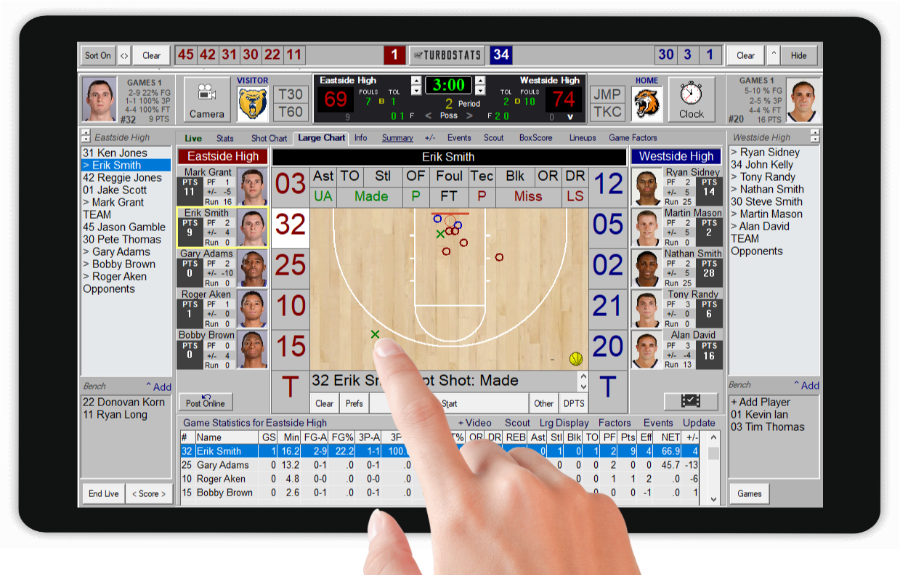
Full Score with Metrics
Use shot charts and game time analytics to help you win today's game. 10 Scoring Modes from Advanced to Simple. 5 Player +/- Combos. Easy to Learn.
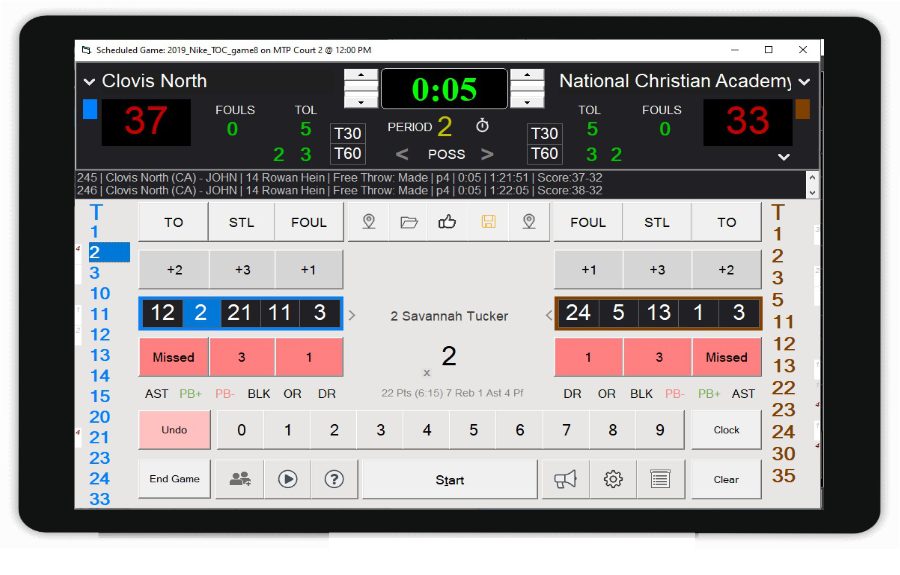
Quick Score
Designed for leagues and tournaments with 6 flexible Scoring Modes. Works with Sports Track league and tournament sites. Optionally use shot charts, or even skip missed shots. Features new AI Camera mode for adding low cost, AI livestreaming for under $200.
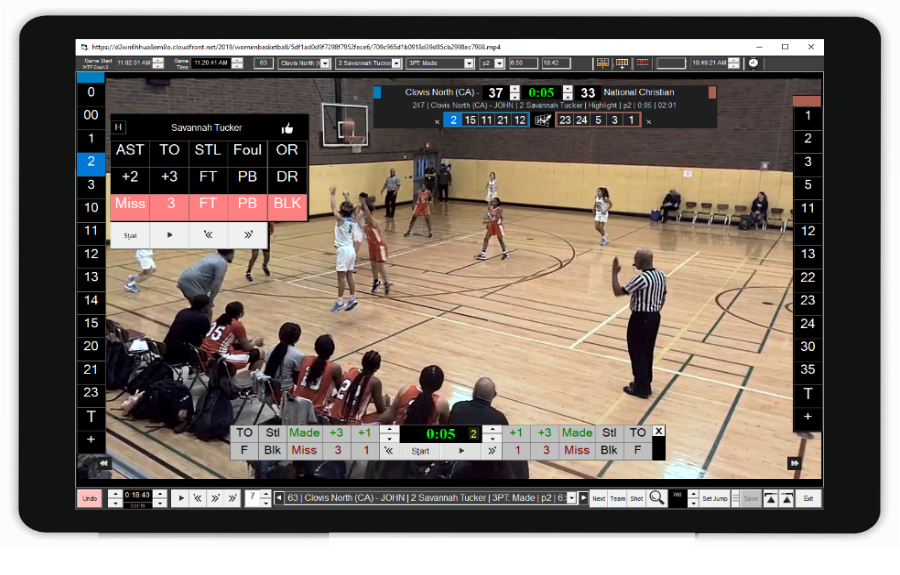
Score By Video
Cut data entry time in half with our built-in video player that automatically stops and starts when you enter statistics and tags clips as you score. Use YouTube, Hudl, Pixellot, Turbo-TV, NFHS or local MP4 Video links. Start your own breakdown business or just track your team.
Used By

The Grind Session

Villanova

UCLA

Mississippi State

Miami University

Davidson

Monmouth

ESPN 3X3U National
Championship

The ABA

Maximum Basketball League

HoopSource Grassroots

Overtime Sports

Made Hoops Jordan Classic

Pontaic Holiday Tournament
 Nike Tournament of Champions

HoopGroup Elite Camps

Gonzaga Prep

Immaculate High School

Plano Holiday Classic

Wisconsin Basketball League
Over
25
Years
Used By
75,000
Teams
To Track Over
5,000,000
Athletes
In Over
50
Countries
TURBOSTATS IS THE LIVE SCORING SOFTWARE USED BY DOS EQUIS 3X3U NATIONAL CHAMPIONSHIP and THE BIG 3 PROFESSIONAL BASKETBALL LEAGUE ON FOX SPORTS
"It was a pleasure working with TurboStats throughout the BIG3 Season 2 over the summer. Having never worked statistics before, I felt totally comfortable with the user friendly software and was able to train every local stat keeper in each city. Thanks to the simple nature of the software and the unwavering helpfulness from the team at TurboStats, BIG3 Season 2 was a complete success!" - Connor Glass, BIG3 Marketing Coordinator
Watch Video
"Gonzaga Prep started using TurboStats 5 years ago. During that time we had two 3rd place finishes
at state and the last two years back to back state championships. TurboStats was an integral part of our success.
Thank you TurboStats." - Rex Head, Gonzaga Prep, Spokane WA
"That was an excellent experience and thank you for all your help!!!
I will recommend this to all our friends in the Pacific Northwest" - Brandon, MaxHoops
Used at: The Exclusive 2021
Teams
Live Scoring for High Schools, Colleges, Clubs & Youth
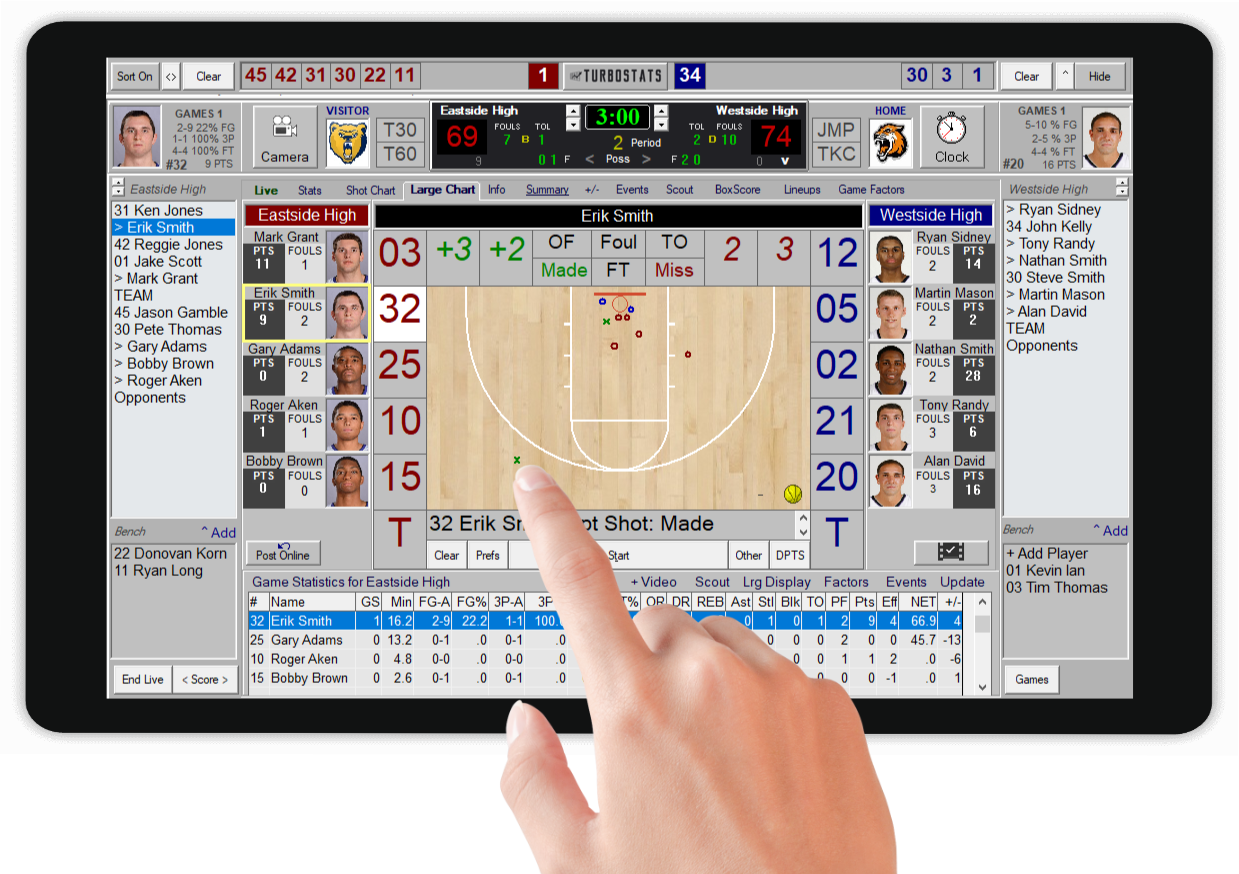
Full Score
Intuitive live scoring with 10 different scoring modes for any level scorekeeper. Fully edit and undo events. Provides optional shot charting with live metrics and custom box scores. Watch: How to Score
Game Cast
Fans watch free! Automatically broadcast live stats with play by play and shot charts, to your included team channel for coaches, parents, fans, and the media. You can even add livestreaming. (Gamecast sold separately) Sample Gamecast

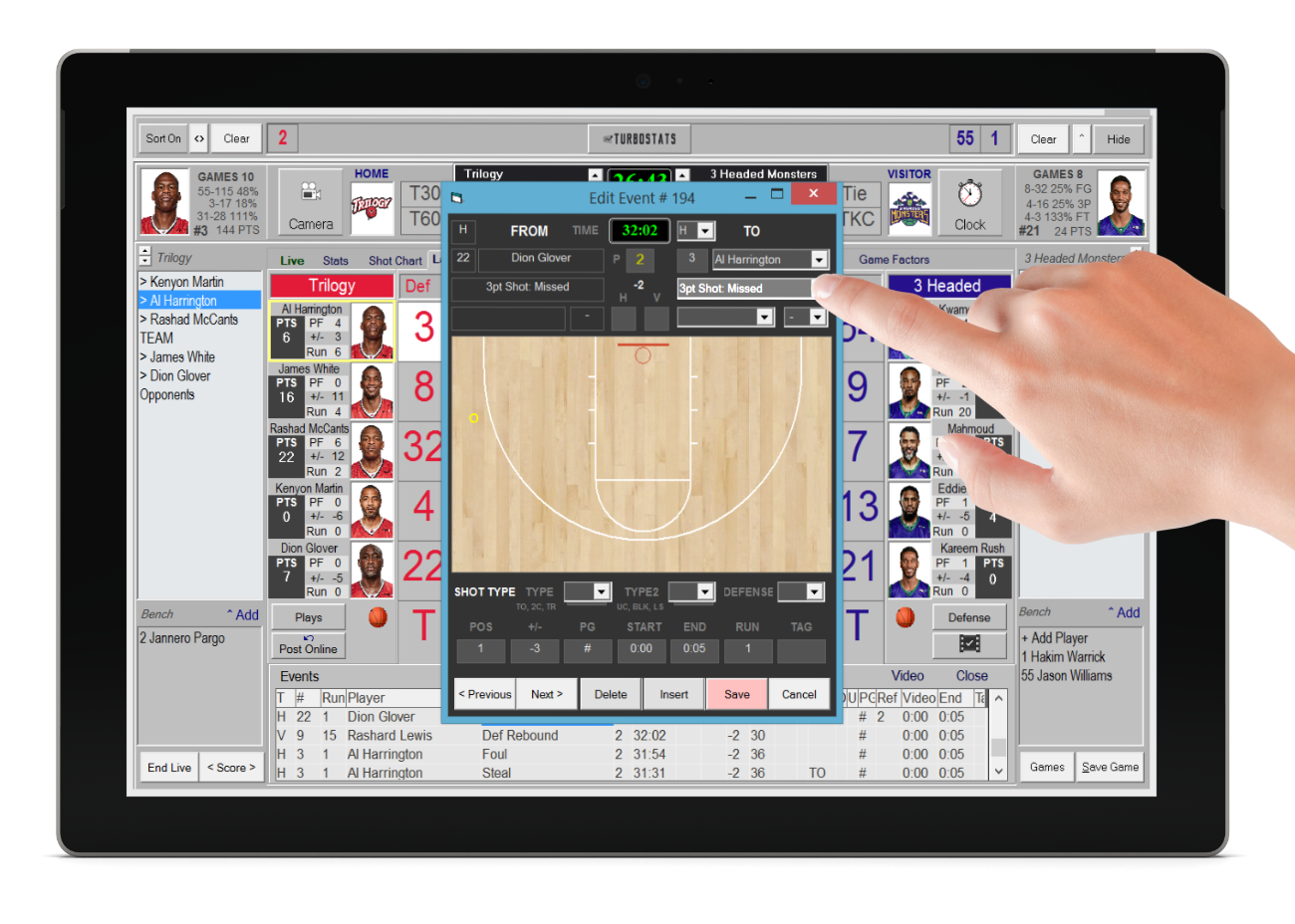
Fast Edit
Mistakes happen, that's why we created Fast Edit, a quick and easy way to edit, insert or delete any event at any time. No need to rescore the game like other apps. Change the player, event type, play type, shot type and more!
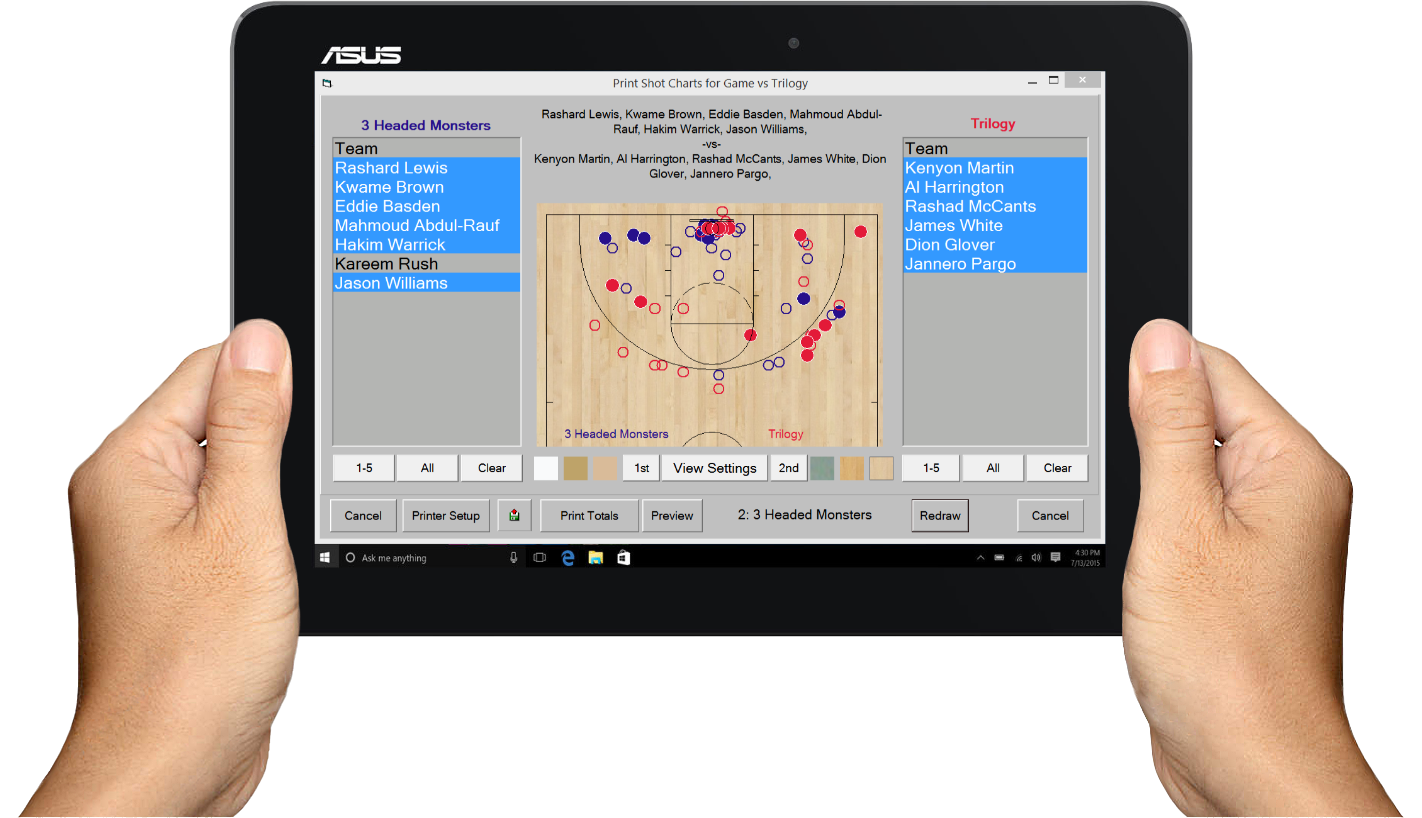
Make In-Game Adjustments
Getting your stats the next day isn't going to help you win today's game. With TurboStats live scoring you can see where your opponent is beating you on the floor, view game factors, player efficiency, even track the efficiency of all your plays, then make the necessary in-game adjustments to win.
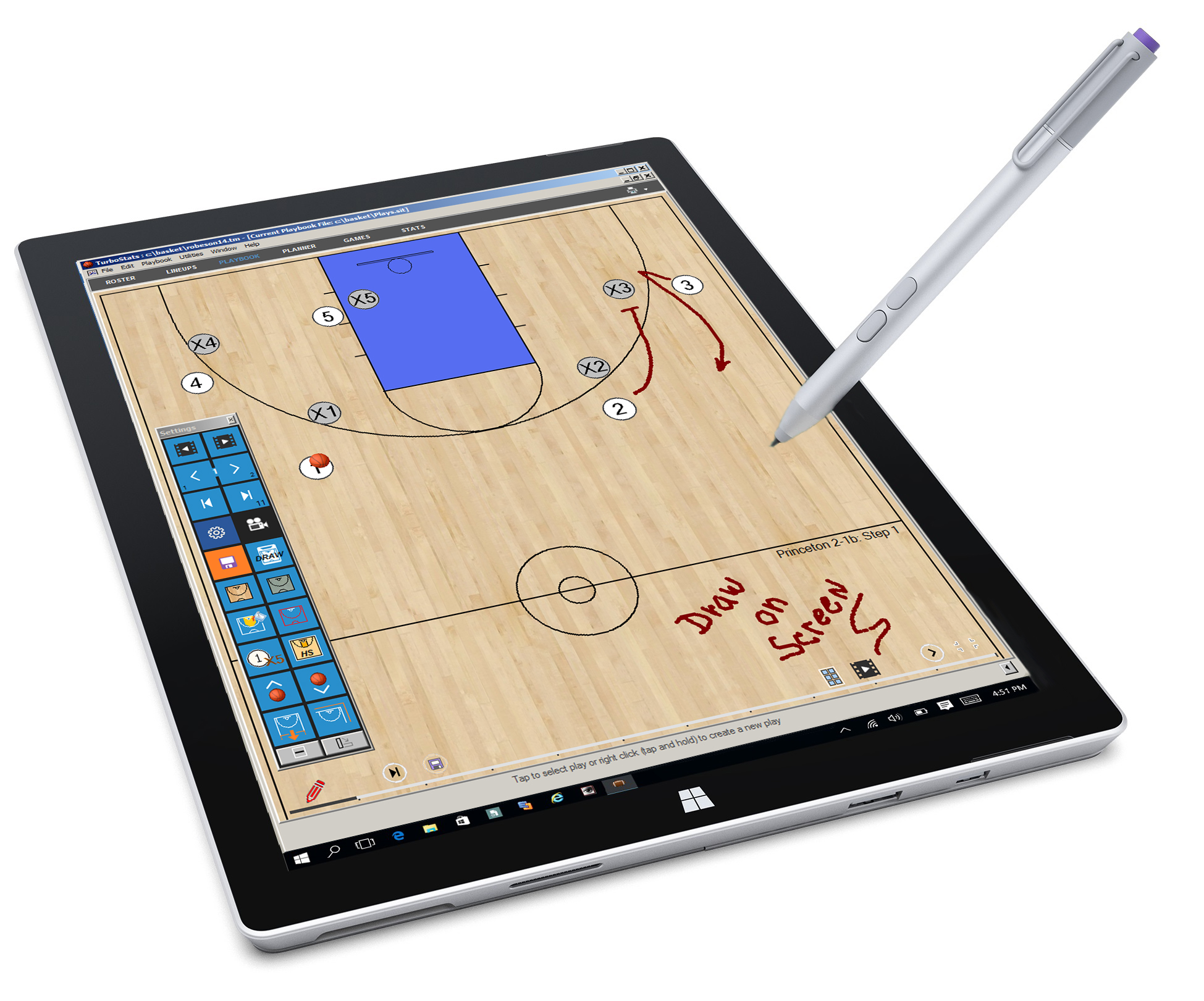
Playbook
Our animated playbook diagramming software allows you to animate your plays,
show multiple passing options, and mirror plays.
Sketch right on the screen with whiteboard mode.
Record plays as MP4 files and print PDF files for easy sharing.
Watch Video
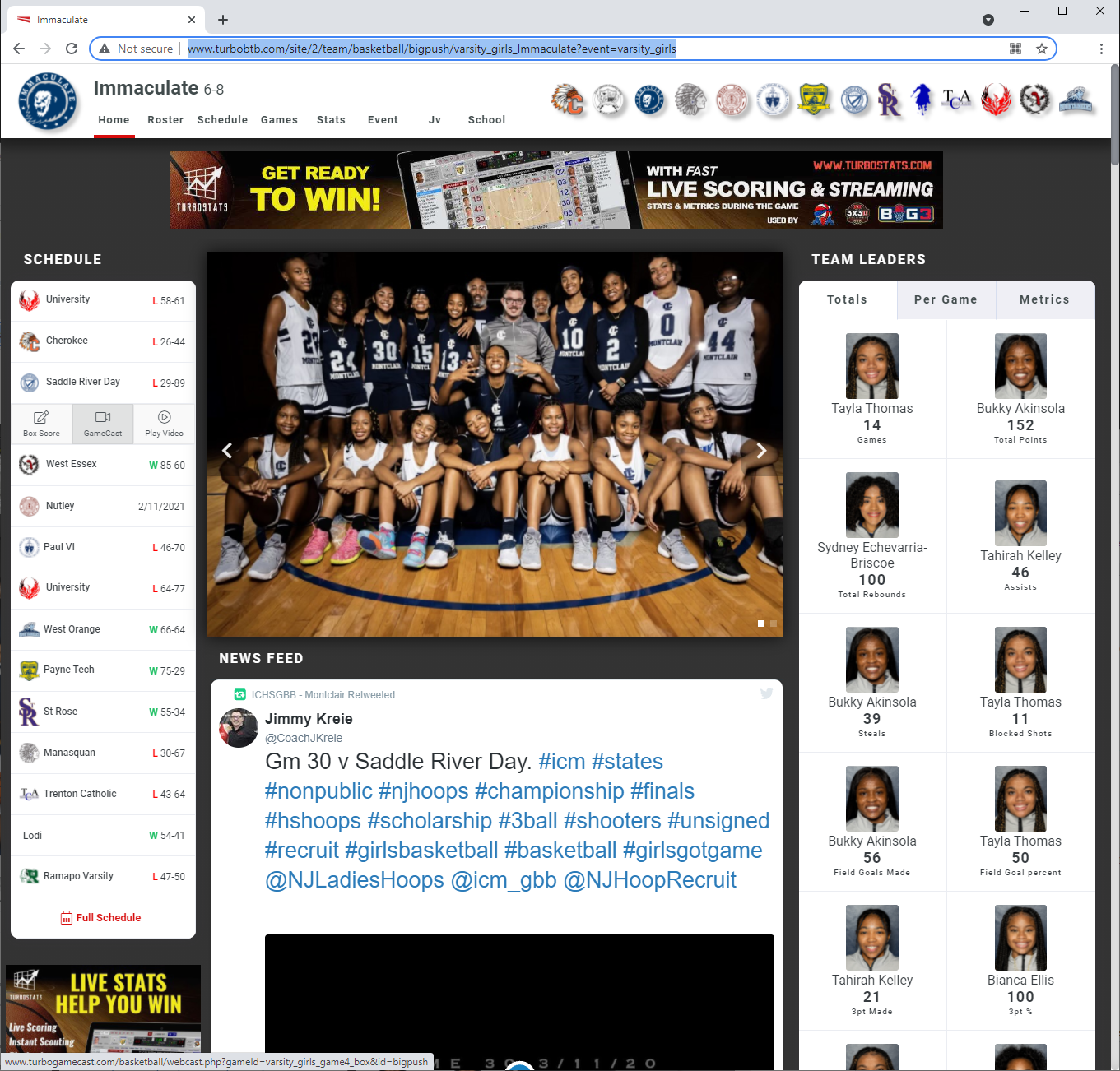
Create Your Own Team Site
Create a place where coaches, players and fans can stay up to date with the latest news, schedule, team stats, leaders, gamecasts and streaming. Embed Facebook feed. You can even include ads for fundraising. Viewable on any device.
Leagues & Tournaments
Quick Score
Effortlessly track and manage game stats with a streamlined, two-step scoring system—just select a game from the schedule, and you’re ready to score. For even quicker scoring, our optional [No Sub] mode lets you focus on points-only or switch to full stats for deeper insights. With a single tap, end the game and instantly post box scores and stats. Used by Made Hoops, Grindsession, HoopGroup, Nike TOC and more.

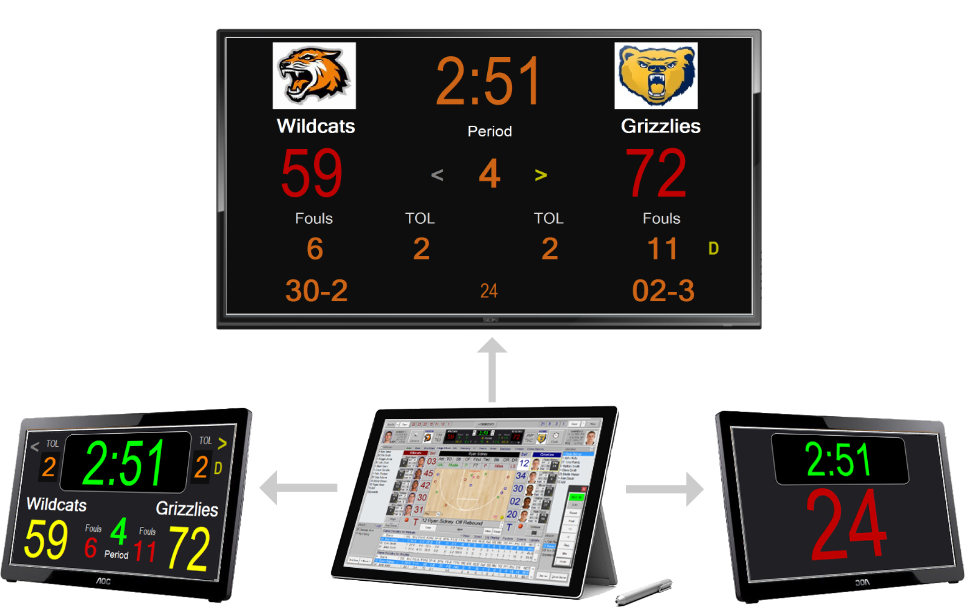
Turn any HDMI display into a scoreboard
Sync HDMI Scoreboards and Shot Clock
Save hundreds of dollars on tabletop scoreboards with a system that does much more. Let TurboStats update your scoreboards and shot clocks. Simply connect your tablet to an HDMI or USB monitor or projector to turn it into a scoreboard.
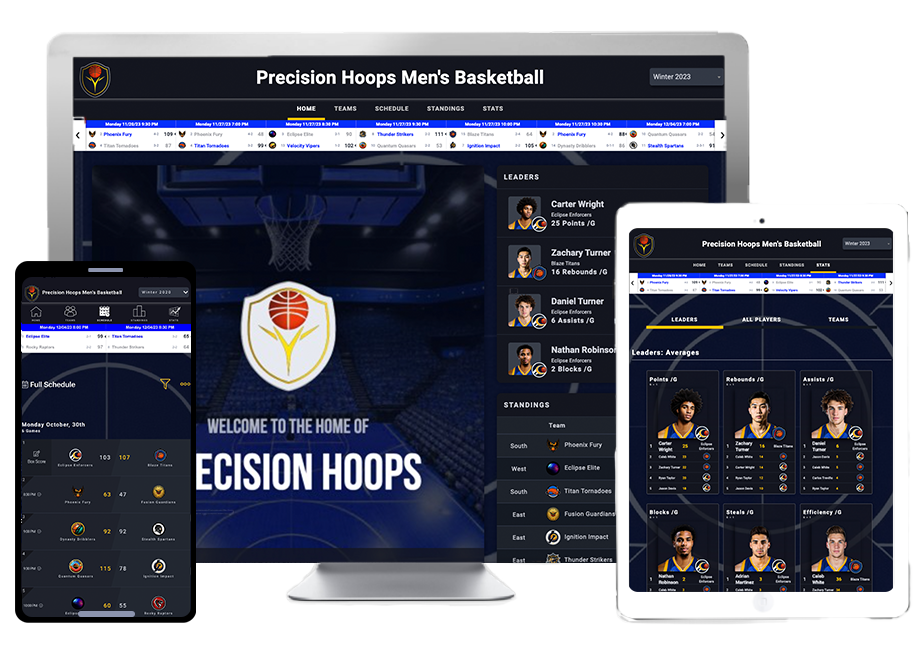
Sports Track - League Platform
TurboStats is more than just great stats. Create a professional website with a scorebar, schedule, rosters, standings, stats, leaderboards and more! View League Platform
View Real-Time Stats
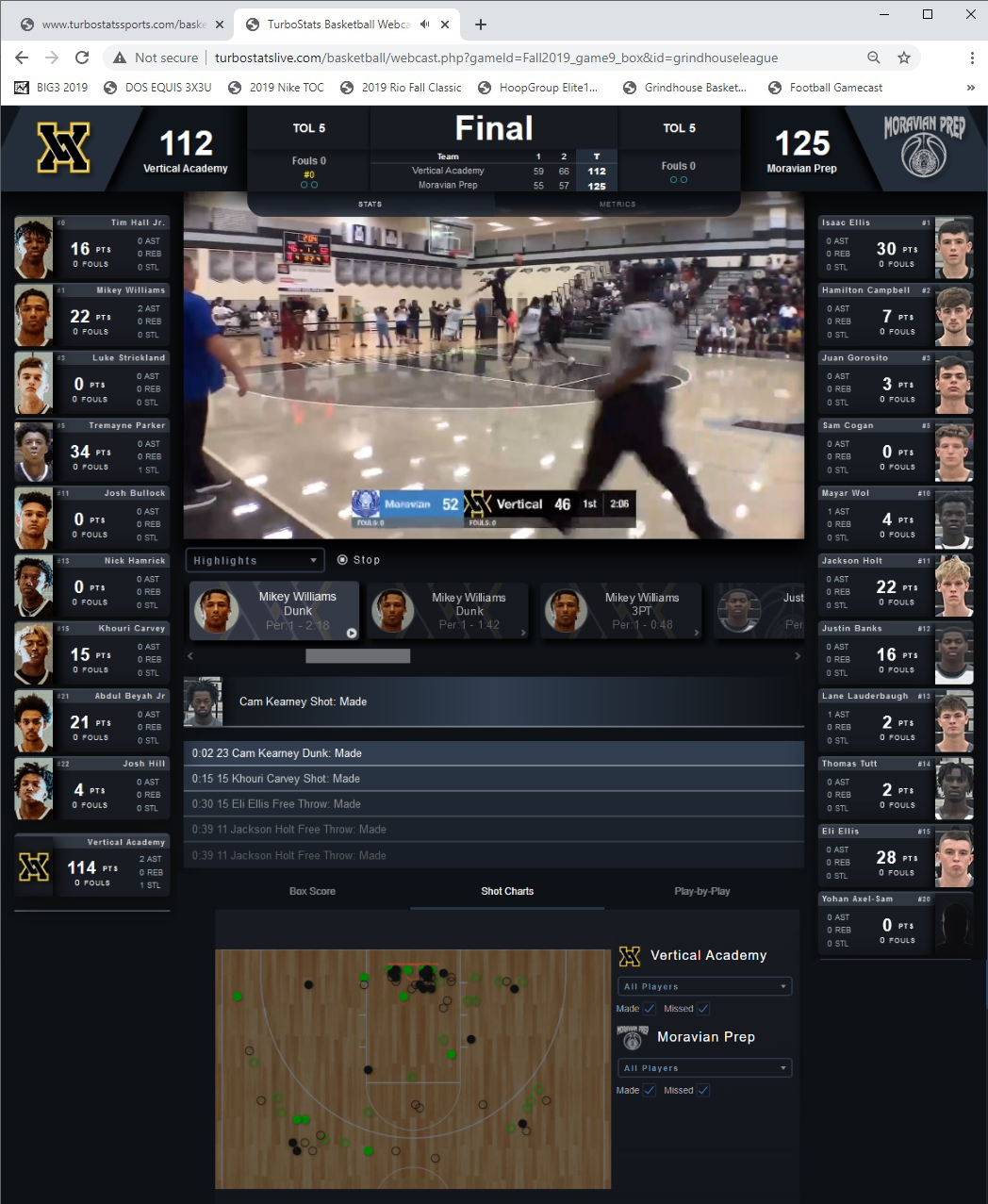
Gamecast
Stay engaged with real-time stats that enhance your live game experience! Our platform delivers access to live statistics, shot charts, and play by play, plus add optional video highlights and tagged clips. Works with YouTube and several other live streaming platforms. Whether you’re analyzing player performance or tracking game trends, you’ll have everything you need at your fingertips to make informed decisions and enjoy the action like never before. High School Sample
- Integrates with your YouTube streaming channel (optional)
- Click on any play-by-play event to see tagged video
- View Game Highlights and Player Clips
- Great for coaches, fans & the media
- Can work with AI cameras from Veo, Hudl and Pixellot
- View Veo Sample
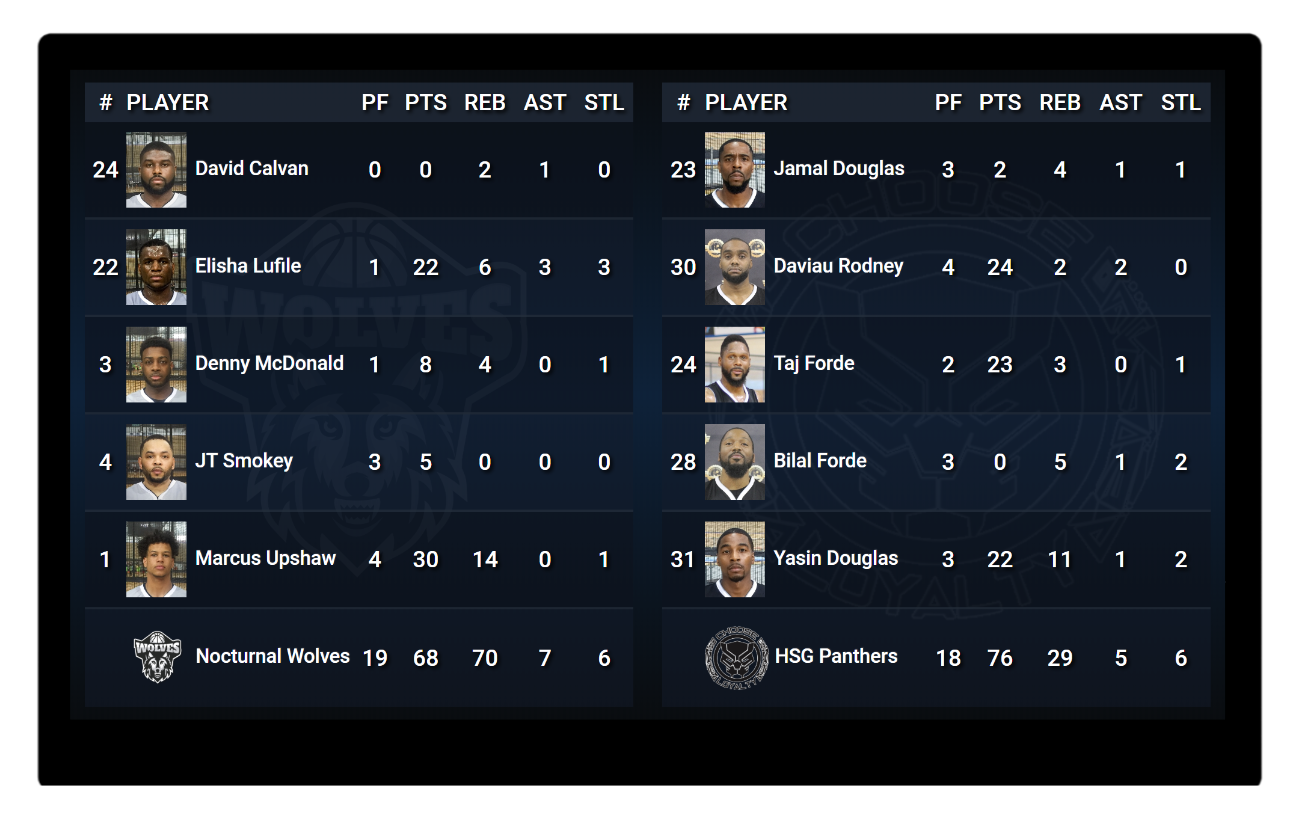
Stats Board
Broadcast live in-game stats directly to a web browser and display them in real-time on any LCD panel in your gym.
View Sample
Tip: To make the statboard full screen, click f11 or go into your browser's settings and enable full screen mode

NEW! Live Scorebug with Stats
Elevate your broadcasts by embedding our scorebug directly into OBS, bringing a professional look to your game streams with live clocks, scores, and real-time stats.
Display time, score, fouls, bonus, period, and live stats for an engaging, immersive experience that fans will love.
Watch Video
Works with OBS and other streaming software. Stream from same PC as you score (i5 or higher recommended) or use NDI to broadcast your scorebar over the network. Works with our wide angle full court camera, Hudl Focus, iPad, Android and IP cameras.
Video Scoring
Score By Video
Cut data entry time in half with our built-in video player that automatically stops and starts when you enter statistics and tags clips as you score. Use the optional keyboard shortcuts to pause, fast forward and rewind. Tag highlights as you score. Sync the game clips to your YouTube videos and view tagged video instantly. Coaches and Fans can view tagged video with highlights using our gamecast. Watch Video
-
Option 1
- Stream your games to YouTube for Free
- Enter the YouTube URL and tag the game, then post the Gamecaster Page where fans can watch game video, view highlights and player clips
-
Option 2
- Film your game on a separate camera or tablet and keep the video running the entire period.
- At the end of each period stop the video.
- This will break down video into four separate clips (one per period).
- Import the video clips after game or halftime by putting the camera SD card into your Windows device.
- TurboStats will copy and rename the video so you can reuse the camera card for the next game.
-
Option 3
- Film the game as you normally would and upload your video to Hudl.
- Email your game film link from Hudl and download the video to your Windows device.

Don't Just Take Our Word For It
"TurboStats has brought an entirely new dynamic to our camps by providing an effective and user friendly system to record live stats and track player data. Their customer service and commitment to integrating their system to fit our needs was above and beyond what we could've hoped for. Whether you're looking to record advanced statistics and break down player efficiency, or just need a scoring system for inexperienced operators, TurboStats has an operating system to cater to your needs."
 - Evan Andariese, Director
 HoopGroup, Neptune NJ
"Gonzaga Prep started using TurboStats 5 years ago. During that time we had two 3rd place finishes at state and the last two years back to back state championships. The software is always improving, which gives us the tools to see where we need to improve. TurboStats was an integral part of our success. Thank you TurboStats."
- Rex Head, Head Coach, Boys Basketball CGonzaga Prep, Spokane WA
"Coaches, if you need a great stat program with ability to webcast and track all the basketball metrics stats built-in, TurboStats is for you."
- Jerry Mullen, Top National College Scout, 25 years"I have been running basketball leagues for over 8 years, currently one of the largest leagues in Southern California, and have used multiple good products to track stats. But after upgrading to TurboStats, I have finally found the best and greatest live tracking system, as well as league data system on the market. This has improved my process, and cut my back end time by 15 hours per week. I am all in with this product. Thanks TurboStats!!!"
- Dre Mitchell, Riverside CA"I take down all the live stats from our games, and I’m able to do things such as calculate an individual player’s efficiency, and track where we’re shooting well and poorly from on the floor. The ability to do that during a game and make adjustments at halftime has helped me out a lot."
- John Leighton, Head Basketball CoachFranklin High School, Franklin MA
"Advanced metrics are changing the way many top coaches evaluate the game."
- Mike Phelps, Cover Story, Coaching Management BasketballIndustry Leading Statistics
- Box Score with Play-by-Play
- Per Season, Per Game, Per Minute
- Breakdown Individual Play Types
- Metrics & Efficiency Ratings
- Contested & Uncontested Shots
- +/- 5 Player Combos
- Missed Layups
STATS WE TRACK
View Our StatsOur Stats
All reports are customizable and viewed as totals, per-game, and per-minute (per min) only in ProSeries or higher
Offensive
(*) denotes advanced statistics TurboStats pioneered during our 25 years of research
Field Goals
- Field Goal Attempts
- Field Goals Made
- Field Goal%
- Last Second Shots
2-Point
- 2pt Attempts
- 2pt Made
- 2pt FG%
- Unassisted 2FG*
3-Point
- 3pt Attempts
- 3pt Made
- 3pt FG%
- Unassisted 3FG*
Free Throws
- Free Throw Attempts
- Free Throws Made
- Free Throw%
Turnovers
- Total
- Traveling
- Offensive Foul
- Stolen From
- Bad Pass
- 3 Seconds
- Other
Assists/Points
- Assists
- Assists for 3FG*
- Assists/Turnovers
- Assists%
- Total Points
- High Score
- Avg Points per last # games
Rebounds
- Total Rebounds
- Offensive Rebound Rate
- Available Rebounds*
- True Reb%*
Fouls
- Personal
- Technical
- User Defined
Defensive
Individual
- Steals
- Blocks
- Charges Drew
- Tie-Ups
Rebounds
- Rebounds
- Available Rebounds
- Reb% (actual/available)*
- Total
Defensive Effort
- Deflections
- Stops
- Dive for ball
- Custom
- Etc.
5 Player Combos
- Group Minutes
- Plus/Minus
- Full Offensive Eff
- Full Defensive Eff
- Def Eff/Off Eff
- 17 Basic Stats
Defensive Points
Given Up
- (Finally track bad defense)
- (Split points or charge to one player)
- Defensive Pts/Min
- Plus/Minus (while in game)
Fouls
- Personal
- Technical
Metrics
Offensive
- Effective FG%
- True Shooting
- Off Eff
- 3pt Asts
- OREB%, DREB%, TREB%
- Rebounds/Actual Available Rebounds*
- Actual Possessions Used*
- Estimated Possessions Used
- Unassisted Made Shots*
- Offensive IQ*
- Last Second Shots
Overall Rating
- N.E.T. Normalized Efficiency Total*
- Efficiency (user customizable)
- Efficiency per Minute
- Offensive Efficiency
- Defensive Efficiency
- Pace
- Team Points (includes % of assists)
- Stats by Point Guard
- Stats by Play Type
- Stats by Defense
- Missed Layups
Possession Stats
- Points per Possession
- USAGE RATE
- AST%
- FGA%
- TO%
- True Turnover%*
- FGA%
By Play Type
TurboStats Ultra can provide full statistical breakdown of individual plays, inbounds plays, and even defense using your terminology. We can also track the efficiency of your offense with different point guards.
Individual Plays
- Stats by Play Type
- Points
- Offensive Efficiency
- Effective FG%
- FGM-FGA
- FTM-FTA
- OReb
- OReb%
- TO
- Uncontested Shots
- Blocks
More Industry Leading Features!
- Over 30 Years of Live Scoring Experience!
- The Top Live Metrics Software Available, see NET Efficiency Rating
- Instant Box Scores and Team Leaders
- Live Shot Charts and 5 Player +/- Combos
- Save $1000's in Post Game Breakdown Fees!
- Fundraising Ads, PPV and Commercials on your Included Team Website
- Livestream Stats with Gamecasting to coaches/fans/announcers
- AutoStream Video with easy YouTube/Boxcast/Turbo-TV Integration
- Monetize Your Livestreams With Pay Per View or Roku
- Live Highlights and Tagged Player Clips
- Works with most cameras: iPad, Android, Camcorder, Wide Angle, Hudl Focus
- Download Video from Pixellot or Hudl and Score by Video
- REPLACE YOUR EXPENSIVE COACHING SYSTEM WITH ONE THAT MAKES YOU MONEY
Pricing
- Teams
- Leagues & Tournaments
- Tablets
Subscription
For High Schools, Colleges, Clubs & Youth.
Subscription Plans are renewed yearly. Free upgrades and 1 new license is included with each renewal.
A license is one install on 1 PC or 1 tablet (includes Fr, JV and VAR teams)
All plans include:
- Up to 3 Teams with Opponents & Rosters
- Track over 100 stats per player
- Create Player, Team, Game & Career Reports
- Depth Charts
- Post Box Scores
- Advanced Statistics
- TurboDrive Cloud data sharing for one team
- One team website
- Technical support
Complete
$69.95 / YR
1 License
SUBSCRIBE
Base Features Plus:
Enter data after the game from scorebook
Per Game Stats
NET Player Rating
Player Metrics
Shot Charts
Add 2nd License for $25*
ProSeries Live
$124.95 / YR
1 License
SUBSCRIBE
Complete Features Plus:
LIVE game scoring or enter from scorebook
Animated Playbook & Practice Planner
5 Player Combo Reports
Game Factors
MaxPreps Upload File Support
Per Minute Stats
Color-Coded Shot Charts
Advanced Metrics and NET Efficiency
Add 2nd License for $50*
Platinum
$149.95 / YR
1 License
SUBSCRIBE
ProSeries Features Plus:
Multi-Game 5 Player Combo Reports
Advanced Box Scores with Player Photos
Score by Video (Local or Internet Link)
Works with YouTube or NFHS Download Links
API Links with YouTube, BoxCast or TurboStats.live for PPV
Hudl Upload File Support
Add 2nd License for $50*
Ultra
$199.95
/ YR
1 License
SUBSCRIBE
Platinum Features Plus:
Pop-Up Scoreboard & Shot Clock
Stats by Play Type
Stats vs Defense and Point Guard
Track Player Points Given Up on Defense
Advanced Scouting Reports with +/-
Advanced Sports Coding Reports
Multi-Game Play Types Breakdown
Multi-Game Video Event Filter
Multi-Game Scouting Reports
View Video Tags By Events
Add 2nd License for $50*
Ultra+Gamecast
$299.95
/ YR
1 License
SUBSCRIBE
Ultra Features Plus:
OBS Scorebug for Live Streaming included
Full Season Gamecasting with Stats and Shot Charts ($150 value)
Live XML Output
Livestream With Your YouTube Account
Optional Livestreaming Site with PPV
Clip Extractor for Streamed Videos
Highlights Tagged with Thumbs Up Button
Call for Optional Cameras
Call for Optional Roku Channel
Add 2nd License for $50*
Subscription
Leagues require a Sports Track subscription. For more information visit our League Platform
Leagues
View Sports Track
Tournaments
Schedule Demo
Tablet Deals
TurboStats runs on any Windows tablet, PC or laptop. We offer tablets preinstalled with TurboStats and the latest Windows 11 update.
We also remove all bloatware and optimize the settings for the best performance.
We also remove all bloatware and optimize the settings for the best performance.
*A license is one install on 1 PC or 1 tablet.
Special save $100 while supplies last Surface Go Renewed (Like-New!)
was $349 $249 with Ultra purchase only (software preinstalled and tested, sold separately)
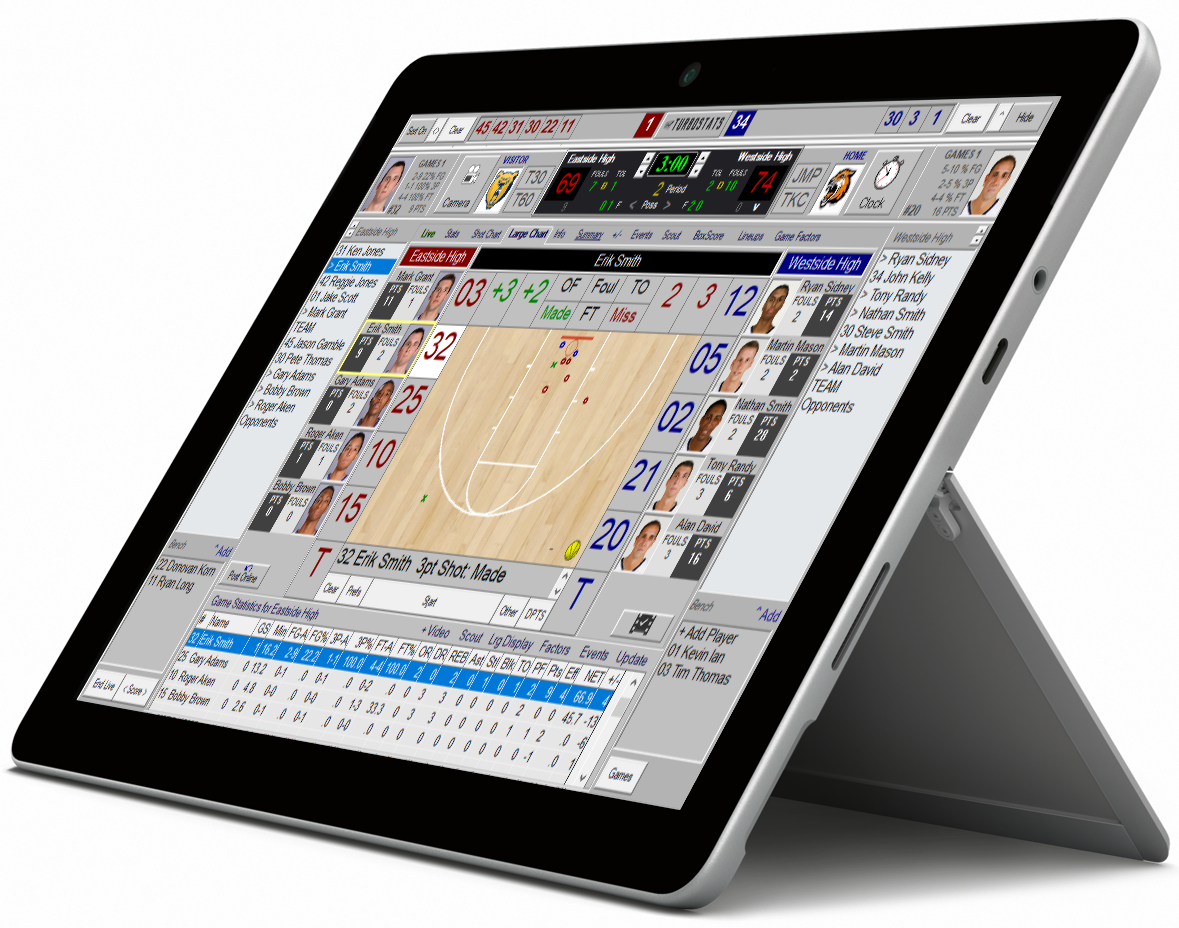
| Best For | Full Score with Pen, Animated Playbook |
| Software | Windows 11 |
| Screen Size | 10 inch Touch Screen |
| Processor | Intel® Pentium® Gold Processor 4415Y |
| Storage | Hard Drive 64 GB |
| Battery life | Up to 9 hours |
| Memory | 4GB RAM |
| Graphics | Intel HD Graphics |
| Optional Accessories | |
| Digitizer Pen | |
| Detachable Keyboard | |
| 2 USB-C | Best Live Scoring Tablet under $300 |
Microsoft Surface Go
$439 (configured) (software sold separately)
| Best For | Full Score with Pen, Animated Playbook |
| Software | Windows 11 |
| Screen Size | 10 inch Touch Screen |
| Processor | Intel® Pentium® Gold Processor 4415Y |
| Storage | Hard Drive 64 GB |
| Battery life | Up to 9 hours |
| Memory | 4GB RAM |
| Graphics | Intel HD Graphics |
| Optional Accessories | |
| Digitizer Pen | |
| Detachable Keyboard | |
| 2 USB-C | Best Live Scoring Tablet under $500 |
Special Chuwi Hi10 X1"
$299 with software purchase only (software sold separately)
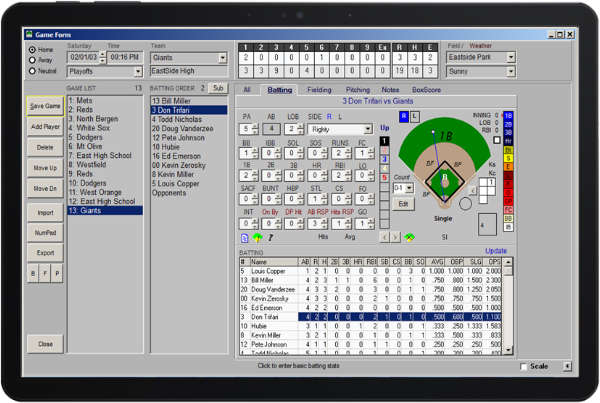
| Best For | Quick Score and Live Streaming | |
| Software | Windows 11 | |
| Screen Size | 10 inch Touch Screen | |
| Processor | Fast N100 Processor - 1.33 GHz or 1.44 GHz | |
| Accessories | Protective Case with kickstand included | |
| Storage | Hard Drive 256 GB | |
| Battery life | Up to 3 hours | |
| Memory | 8GB RAM | |
| Graphics | Intel HD Graphics | |
| 2 x USB-C, 1 USB 3.0 | Mini HDMI Port | USB-C Charging |
Best Streaming Tablet for the Money
Alldocube (Surface Go Clone)
$149 (software sold separately)
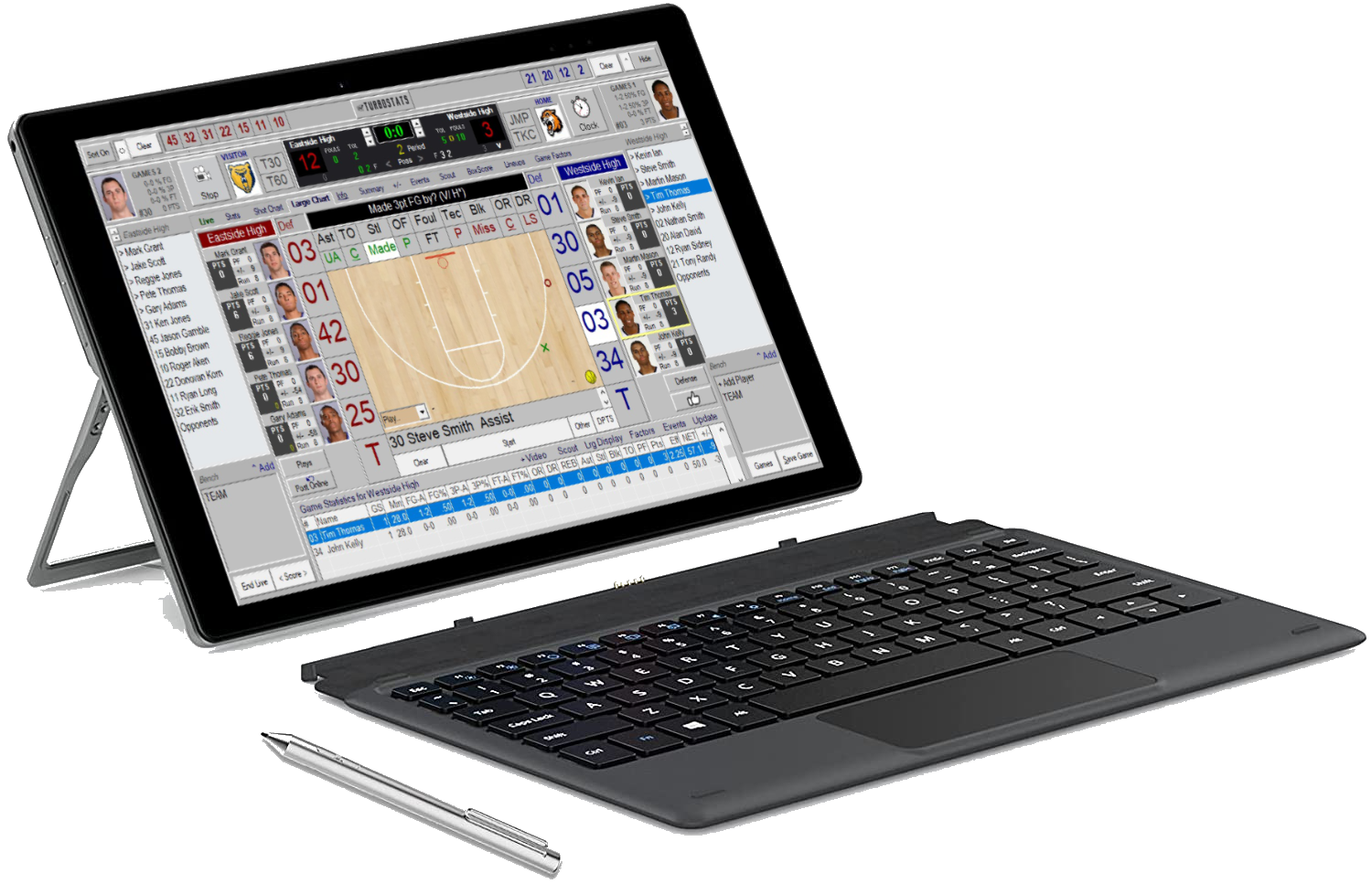
| Best For | Full Score with Pen |
| Software | Windows 11 |
| Screen Size | 10 inch Touch Screen |
| Processor | Intel Celeron |
| Storage | 64 GB |
| Accessories | Pen, Keyboard Cover |
| Battery life | Up to 8 hours |
| Memory | 4GB RAM |
Lenovo Yogo 6
$699 (software sold separately)
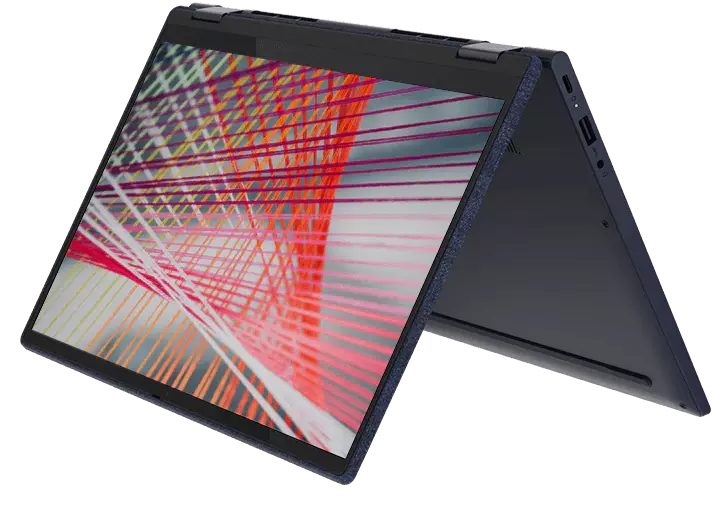
| Best For | Professional Livestreaming |
| Software | Windows 11 |
| Screen Size | 13 inch 2-in-1 Touch Screen |
| Processor | FAST AMD Ryzen 5 |
| Storage | 256 GB |
| Accessories | Pen Support (not included) |
| Ports | 2 USB-3 and 2 USB-C |
| Battery life | Up to 8 hours |
| Memory | 8GB RAM |