homew.jpg (5559 bytes)

next.jpg (4922 bytes)

back.jpg (4841 bytes)

basedownload.gif (295 bytes)

mail.jpg (5610 bytes)

ScoreKeeper Features

TurboScout Features


Print Brochure

TurboStats Feature List

What's new in version 14.0 Now Shipping!

WORKS WITH ALL YOUR EXISTING TURBOSTATS DATA

  • Supports the new Windows Vista Operating System

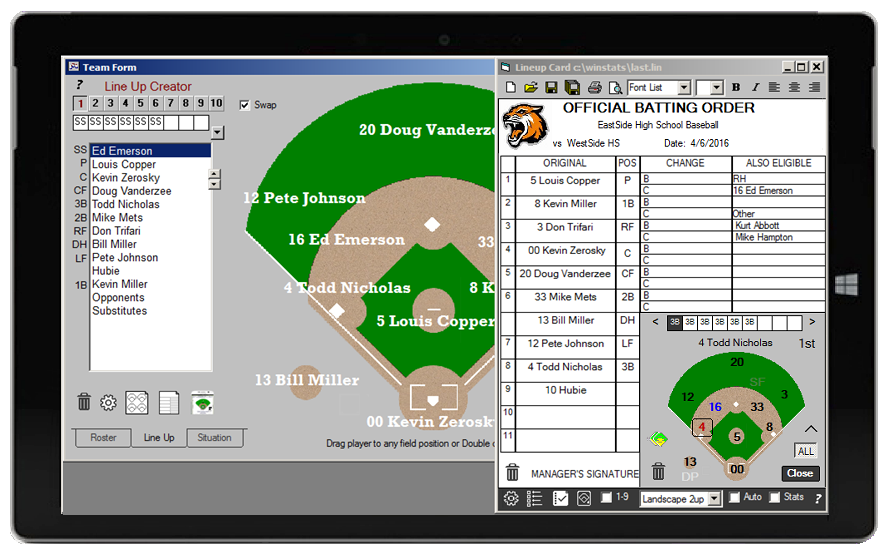
  • Creates Custom Lineup Cards

    • Choose from two formats.  Standard with Also Eligible or Dugout Card

    • Automatically groups "Also Eligible" Players by Bats RH, LH, Switch and Throws RH, LH 

    • Allows insertion of custom graphics for Team Logo's

    • Supports Drag-n-Drop ease of use

    • Save and Open an Unlimited Number of Lineup Cards

  • Print Preview Button.  

    • Previews Spray Charts

    • Stat Reports

    • Scorebook pages

    • Fielding Assignment Layouts

    • Lineup Cards

  • Add Custom Graphic Images to All Stat Reports
  • Support MAX PREPS format for uploading High School stats to the web
  • Advanced SORTABLE HTML Output (Javascript)
    • Now includes Game Summary Pages
    • All pages can be sorted by any statistical category
    • Links Team, Player and Game pages
    • Highlights rows for easy reading
  • Export Stats and Spray charts in Bitmap format for emailing or posting online

  • Enhanced Spray chart printing with Statistics and Uniform numbers

  • Includes better electronic documentation

  • Supports ScoreKeeper 7.1 and 6.0 Data


What's was new in version 12.0 

WORKS WITH ALL YOUR EXISTING TURBOSTATS DATA

  • New Main Menu with fast access to popular features

  • Automatic startup with last team loaded (optional)

  • Support for DP and FLEX in the lineup card printing (softball)

  • Advanced Spray Charts Printouts by:

    • Individual games (1 chart for each player)

    • Team Totals (season or each game)

    • Multi Game Charts (for Any Player or Team Totals)

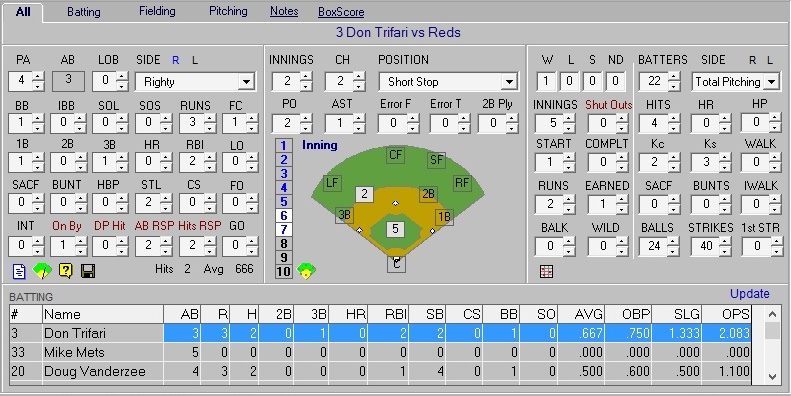
  • Graphical Data Entry automatically calculates and Posts Stats (big time saver)

    • Enter Stats Graphically with spray charts, base advancement, etc

    • Press one button to compile all the raw stats and post them in each category

    • New R and L buttons to quickly swap between righty and lefty plate appearances

  • Team Spray Charts Displayed in Game Form

  • Inning by Inning Scoring Summary Report

  • Delete Game function automatically removes all batters from the batting order

  • Game Form Automatically Adjusts to Wider Screens

  • Advanced Backup and Restore

    • Automatic Backup with user defined game interval (backup your data after x games)

    • Compares dates of files before overwriting to prevent lost data

    • Backup path stored for faster backups

    • Backup to floppy, USB drive, Network or other directories

    • Backup status saved with each team database

  • Improved Features for ScoreKeeper Users

    • Create NCAA Style Box Scores (for both teams) *

    • Finds the last ScoreKeeper game automatically

    • Import rosters from ScoreKeeper lineups and automatically create .tm files

    • Export Rosters with address information and phone numbers to Palm Contact Lists

  • Stat Description Key is now visible in the Game Reports

  • Complete Edition now includes a free Practice Planner

  • Improved XP printing

  • Improved HTML output and uploading

    • Built in Internet Uploading (ftp.exe is no longer required)

    • Stat Description Key can be included in the HTML files

    • HTML files can have .html extension and stored in any folder

  • Improved League Tracking and Web based game results

  • More Bonus Features to be announced (can be downloaded for free)

*(ScoreKeeper is still purchased separately)

What was new in version 11.0

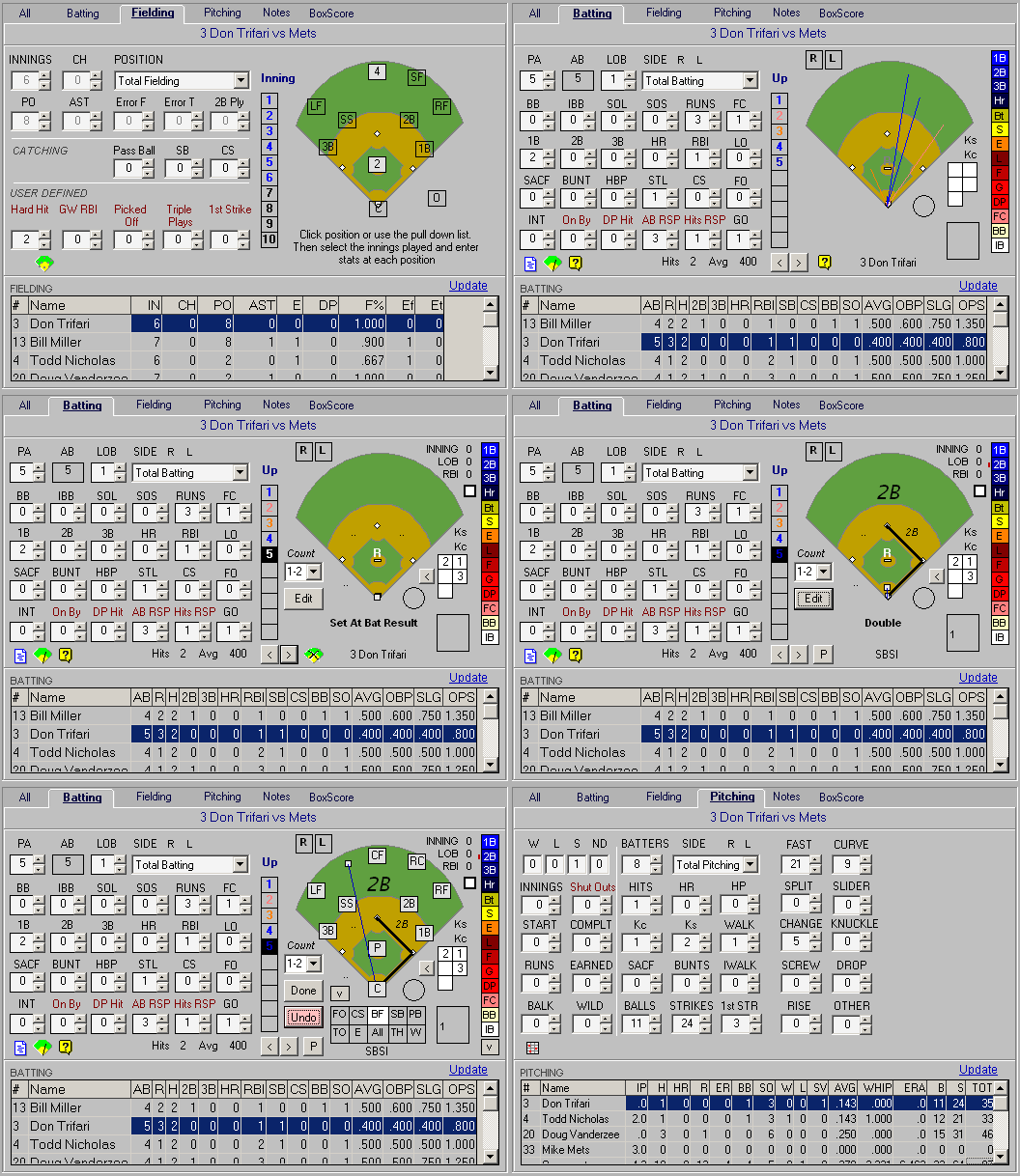
  • Spray Charting - Color coded for every possible hit type.  Break down by righty vs lefty and by all pitching counts.  Print up to 9 diagrams on one page.  Enter from your scorebook or import from ScoreKeeper 6.0 for the Palm OS (optional product)

  • Stats by Count - TurboStats Innovation: How are you hitting when you have a 3-2 count? How about swinging a the first pitch?  Now you can track stats by count or import stats by count from ScoreKeeper 6.0 with no additional effort.  Used by Professional teams to help their batter's gain additional confidence and better understand their strengths and weaknesses.

  • Pitching History Report - TurboStats Innovation:  Shows innings pitch and pitches thrown for all your pitchers by date.  Great for youth leagues with pitching rules & arm care schedules.

  • Unlimited Fielding Lineups - Now you can save your fielding lineups in the Lineup Creator and recall them at any time.  Great for building line ups based on who is pitching or saving lineup for each game.  

  • Smaller Html Output - HTML files that are 90% smaller than before makes uploads and emailing faster than ever.

  • Faster Data Entry - All batting stats on one screen.  Quick switch from Righty/Lefty with ProSeries version.

  • Expanded Screen - Take advantage of your larger screens by displaying more stats and the spray chart diagram at the same time.  1024x768 res. or higher to take advantage of this new feature.

  • New Options in Lineup Card Printing 
    - Show Coaches, Cut or Traded Players on/off
    - Turn Warm Up Pitcher/Catchers positions on/off

What was new in version 10.0 1/18/2002

  • Full 32 Bit – Supports USB printers, network printers, long file names and Window 95-XP.  Faster reporting and sorting.
  • Improved Integration with ScoreKeeper – Create and Upload games with full opponents rosters and supports ScoreKeeper 5.0's increased roster size.  Import opponent rosters from existing TurboStats team files or add them on the fly. Setting up a ScoreKeeper game is much easier with this release.  One click access to ScoreKeeper's import/export forms.  Works with ScoreKeeper 4 & 5
  • Enhanced Usability - Tool Tips, Improved interface and Stat Descriptions Tips make learning and using TurboStats advanced features easier than ever.
  • Track Player Email Addresses
  • Copy and Export Team and Player Charts and Graphs for use in other applications


What's was new in version 9.0 1/1/2001

  • TurboPlanner – Practice Planner, Scheduler, Drafting Tool (ProSeries Only)
  • TurboLink – Create and Upload/Download various file formats to FTP websites.  Supports HTML, CSV Universal, TurboStats Archive and TurboStats .LEA files.
  • Archive file format – Compress team databases to 1 file for Internet sharing of team data.  Email or use TurboLink to exchange with your coaches and league.
  • Universal File Format – For exporting Stats to TurboStats Compatible Sites on the Web. 
  • Website Command – Make Linked HTML pages of your entire team automatically.  This is an unbelievable time saver.   Your AD will love you.
  • HTML Customizer – Fully control the properties of your Web pages
  • LQ – Leadoff Quotient Stat
  • OBS – On Base % + Slugging % Stat
  • Swap players in Drag-n-Drop Field Layout
  • Heads Up Multi Inning display in Field Layout Screen
  • Team Totals in the Player Stat Reports
  • Hide/Replace Zero - The stats that equal zero don't print
  • Quick View - in Game Form for wide screens. Shows Fielding next to batting screen
  • Improved Sorting - Columns in the Stat Viewer won’t jump back to the first column after sort
  • Print All Reports – Prints all tabbed reports in the Stat Viewer on one page if possible
  • UPGRADE FROM ANY VERSION OF TURBOSTATS FOR BASEBALL/SOFTBALL  
  • Works With Your Existing Data from any TurboStats for Baseball/Softball version

What was new in version 8.0 1/1/2000

  • Scorebook Page Designer  Stop waisting money on scorebooks. Our new Scorebook Page Designer allows you to design and print your own custom scorebook pages.  You set the number of innings, players, subs, etc.  It will even fill in your player's names for you.  Automatically scales to fit the page.  Game summary matches TurboStats data entry screen
  • Customize Roster Printing  Now you have complete control of all your players.  Turn on/off what you want.  Easily set the category order
  • Customized Mailing Label Creator  Default support for Avery 10x3 (30 labels per page) but can be customized for any label format
  • Mega Team Support  Now add up to 999 players per team.  Great for team career and records databases.  A must for college and high school coaches.
  • Career Stats Import  No more manual career entry.  Import your team's Season data into your career file in minutes
  • See other minor changes

Top Features :

Optional ScoreKeeper Palm Pilot  see ScoreKeeper 

Track over 300 stats per player in the palm of your hand.  HotSync back to TurboStats on your PC.  All Righty/Lefty and fielding by position stats supported.  No other product can do this.  Checkout the new Scorekeeper 4.0 today.

pilotsm.gif (4793 bytes)
(ScoreKeeper and Palm Pilot hardware is sold separately.  Runs on any Palm Pilot.  See order form for more details)

Training see Situate

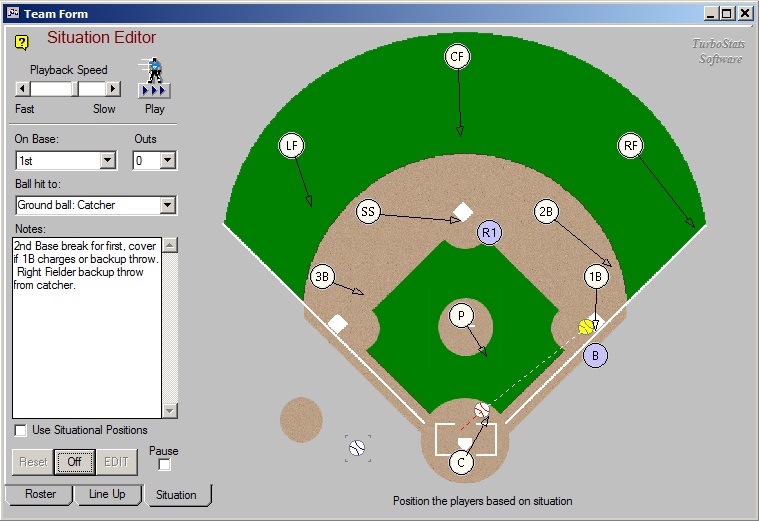
  • Situation Editor: Setup & Animate over 1200 Game Situations 
  • Automatically produces lines and arrows for playbook printing
  • Situational Positioning Tips and Animated Practice Drills
  • Display Cutoffs, Pickoffs, Tagups, Double Plays, etc.
  • The most advanced training tool of it's kind
  • The ultimate rainy day practice saver

Situation Editor TM in ProSeries

Situational Diagraming Screen.....

Click Here to view a simulated animation

"The Hottest Baseball Training Tool I've Ever Seen" -coaches at the ABCA Conference Atlanta Jan 99 and  San Diego Jan 98

Click here for over 150 more quotes for our completely satisfied users.

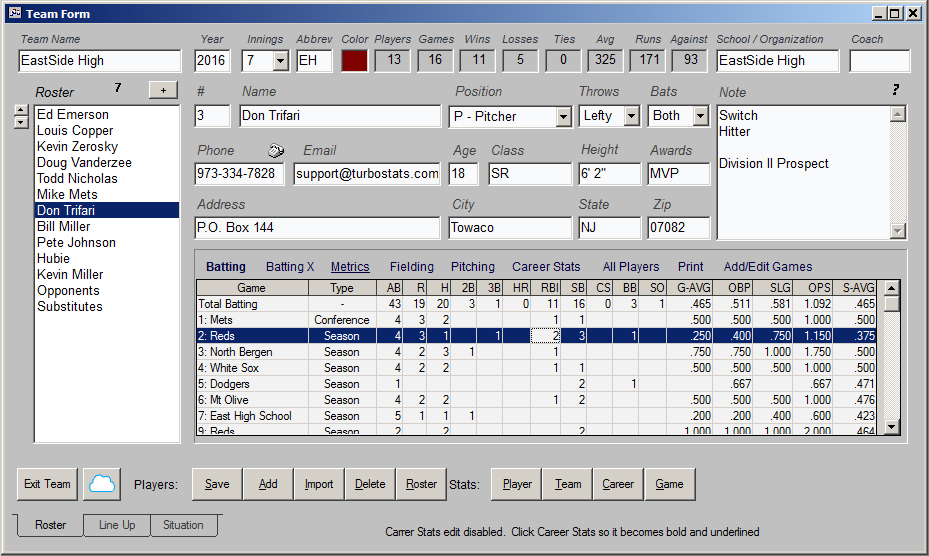
Teams see: Team Form

  • Create Unlimited Teams
  • Add up to 1000 players per team
  • Create new team files each year.  Save your entire team or league history online
  • Player information database: name, address, phone, date of birth, notes, etc. You can redefine each category
  • Auto-dial your players phone numbers see: Autodialer
  • Player rating, draft analysis and all star selection tool
  • Import names from other files see Import

LineUps see: Field Layout

  • Multi-inning field diagram printing.  Plan your game strategy and plot up to 9 field layouts (one for each inning) on one piece of paper.  A must for youth coaches
  • User definable computerized batting orders
  • Export Lineups to ScoreKeeper and TurboScore
  • Two New Lineup Card Formats
  • Drag-n-drop players on  field. Print lineup cards
  • Save defenses for each inning
  • Multi-inning position summary cards
  • View career stats while creating lineups
  • Select from multiple field designs ( grass infield, dirt, etc)

Games see: Game Form

  • Enter Unlimited Games ( game by game basis )
  • Enter games in 5 minutes or less directly from your scorebook (you don't have to summarize the game first) or import from ScoreKeeper or TurboScore
  • Automatically saves all player and game data
  • The fastest data entry system available
  • Point and click data entry
  • Box scores for each game see: Box Scores
  • Track batting verse righty/lefty pitchers
  • Pitching stats verse righty/lefty batters
  • Fielding by individual positions see: ProSeries
  • Unlimited user definable game types ( conference, playoff, tournament, etc.)
  • Track the batting order for each game
  • Tracks hit to locations

Statistics see: Stat Viewer

Statistic Filtering see: Stat Filter

  • By any opponent
  • By any date range
  • By any game
  • By any combination of Game Types ( Season, Playoffs, etc)
  • By any field
  • By home or away
  • By weather conditions or starting pitchers
  • By user definable categories
  • By any combination of the above choices

Plotting see: Plotting

  • Pie, Bar and Line graphs for ANY STAT in one click
  • Plot player trends and averages
  • Plot career statistics
  • Plot team stats

Player Analyzer

View player batting, fielding and pitching stats in graphical format.  Breaks down righty vs lefty stats and plots trends and hit to locations

analyze.jpg (48813 bytes)

  • Pie and bar graphs of all player plate apperances
  • Plot righty vs lefty batting and pitching
  • Plot combined hit to location charts

League Reports see: League Merge

  • Creates complete League Reports
  • Team records and standings
  • Creates league leader reports
  • Creates team statistic reports
  • Data can be tracked on multiple computers by each coach or on one computer

Other Features

  • Backup & Restore plus Laptop Transfer

Two Live Game Scoring Programs to Choose From

ScoreKeeper  Great for live game entry with your Palm Pilot anywhere.  Even while coaching the bases or in the dugout. 

New TurboScout for Windows Great for creating scouting reports from your ScoreKeeper game data

TurboScore  Great for live game entry with your laptop in the pressbox.

How do ScoreKeeper and TurboScore Compare?

Copyright © 1997-2001 TurboStats Software Company.